
Introduction
Images are a part of our lives online every single day. We use images for websites, social media, business projects, presentations, online stores and our own personal work.
The good news is that converting an image is not hard all. If you use a tool, like Freeconvertfile.com you can just upload a JPG image pick PNG as the new format and convert your file using a mobile phone or a desktop computer.
This guide will show you the process, from how to upload your image to how to convert your image step by step.
What Is the Difference in JPG File and PNG File?
PNG is a format for graphics and images that need detail. PNG uses lossless compression, which keeps all image information. PNG also works with backgrounds when the image already has transparency.
JPG, also called JPEG is a format for photographs and color images. JPG uses compression to shrink the file size, which makes it useful for sharing photos and saving space.. Compression can make some of the image detail less clear.
Because of these differences choosing the format depends on your project. If you need an image, in PNG format converting your JPG file can be a solution.
How to Convert JPG to PNG File on Freeconvertfile.com?
If you wonder how to convert JPG to PNG file you can finish the process online in a few simple steps. You do not need image editing skills to begin.
First open your web browser. Go to Freeconvertfile.com. Locate the JPG to PNG conversion tool on the site. When the converter page opens you will see an option to upload or select your image file.
Tap the upload area and choose the JPG image you wish to convert. After the file is selected, verify that the correct image or file name appears in the converter.
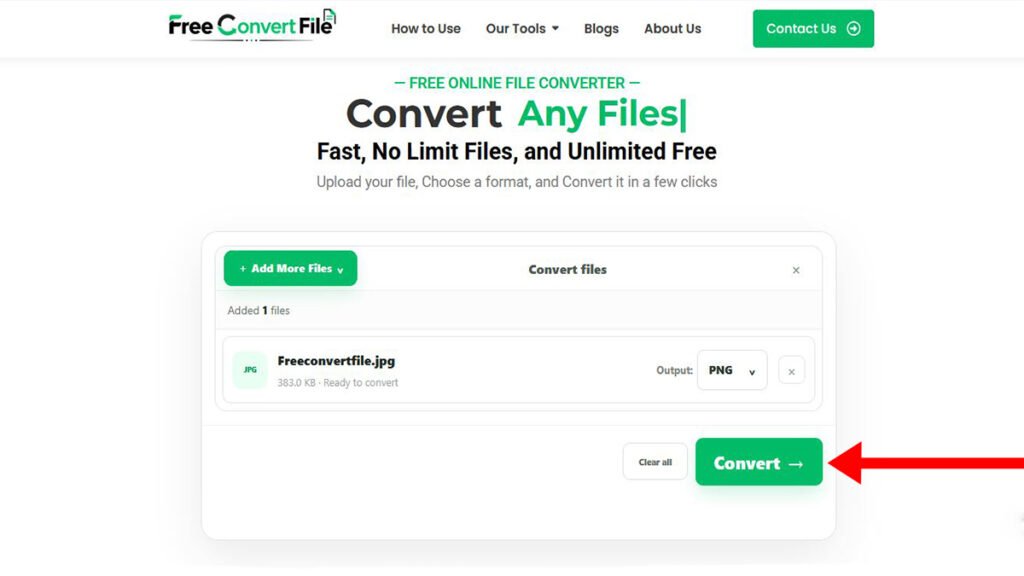
Next step PNG, You can select output format Then. You can click Convert button to start the conversion process.
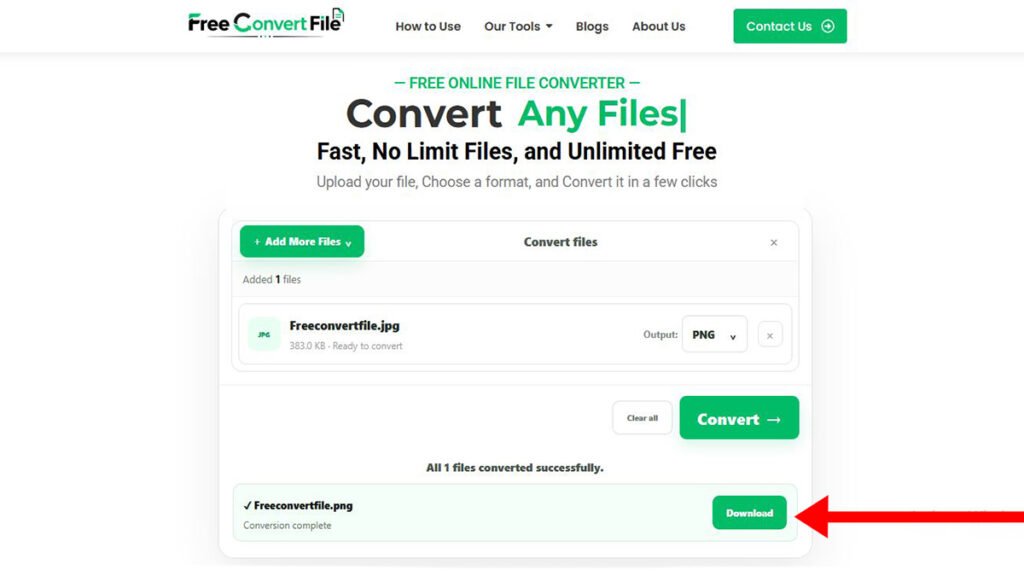
Wait for the conversion to finish. When the PNG file is ready you can. Download the converted image to your device.
- The process can generally be completed in three stages:
- Upload your JPG image to the converter.
- Select PNG. Start the conversion process.
- Save the converted PNG file when it is ready.
How to Upload a JPG File on Mobile?
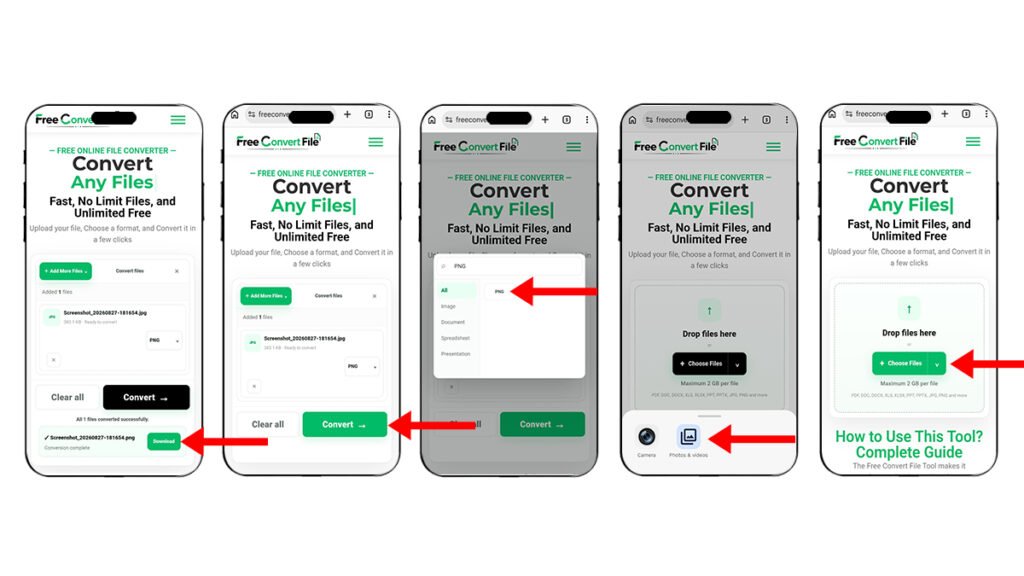
Mobile phones make it easy to manage images and files from anywhere. If you are using an Android phone or an iPhone or a tablet you can use your browser to access Freeconvertfile.com.
Open your browser and visit the JPG to PNG converter page. Look for the Choose File Upload File or similar upload button. Click the button to open file select options on your device.
Depending on your mobile, like Photos, Gallery, Files, Camera, or Cloud Storage.
After selecting the image wait until the file name. Upload confirmation appears on the converter page. This confirms that your image has been selected successfully.
Now choose PNG as the output format if necessary and tap the Convert button. After the conversion is complete save the PNG file to your phone.
Before closing the browser check your Downloads or Files folder to make sure the converted image has been saved successfully.
How to Upload and Convert JPG to PNG, on Desktop?
Desktop and laptop users can follow a process. Open a web browser on your computer. Go to Freeconvertfile.com.
Click the Upload File button or Choose File. Please select the file window will open on your computer. That you have convert the JPG File.
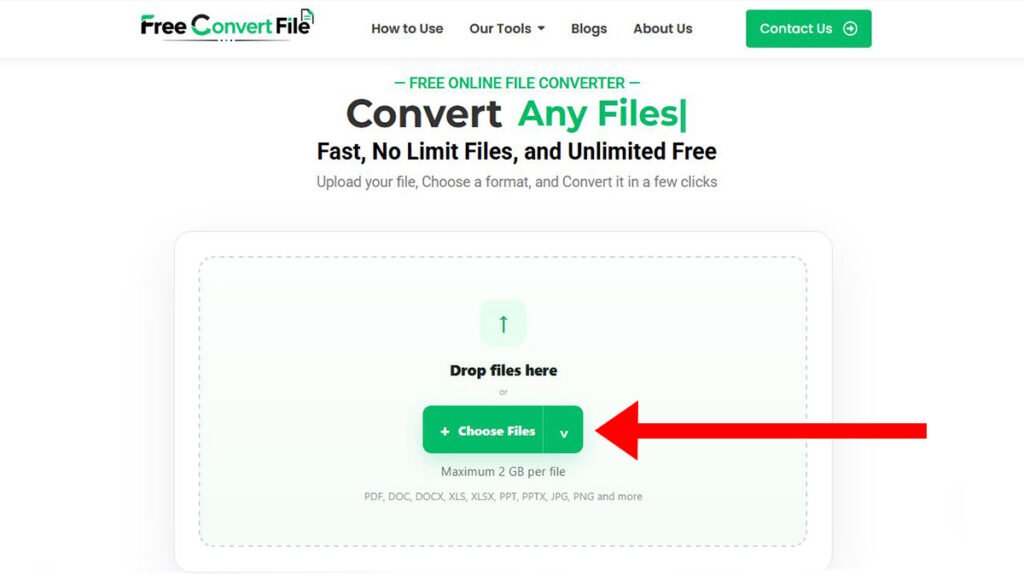
Select the image. Click Open. The file should then appear in the upload section. Always check that you selected the file before starting the conversion.
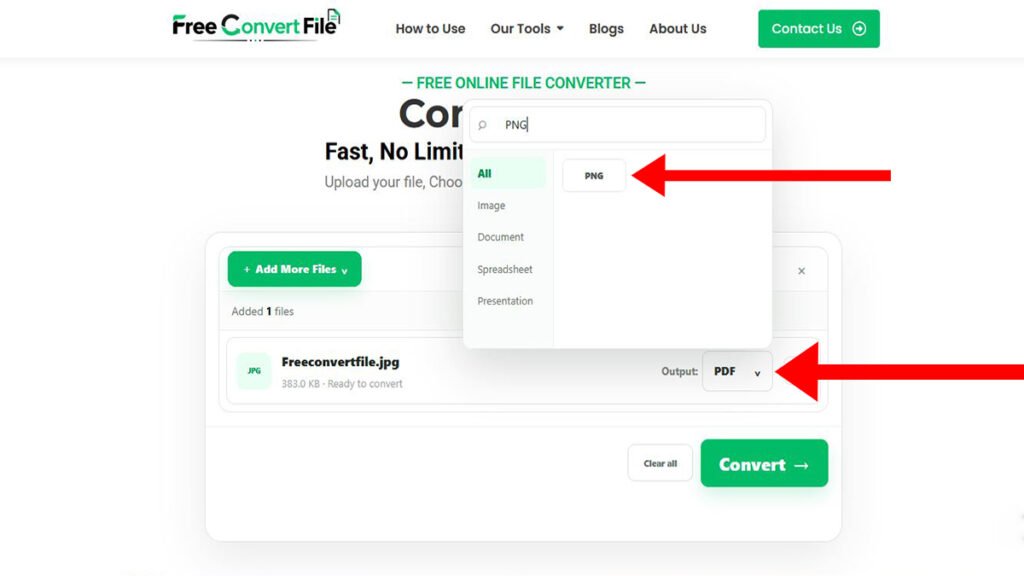
Choose PNG as the desired output format. Click the Convert button. The conversion tool will process the file.
After the processing is complete, you can easily download the PNG file. You can easily find in a folder or gallery.
Why You are Convert the JPG to PNG?
There are reasons to convert an image from JPG to PNG. Some websites, apps, or design projects may require PNG files. PNG you can be useful for graphics that have text, sharp edges, and etc.
For example if the JPG image was quality before conversion changing it to PNG will not recreate missing details. Similarly converting a JPG file to PNG will not automatically remove the background. Make it transparent.
If you need a background you may need to use a separate image editing or background removal tool before saving the final PNG image.
Benefits of Converting Images Online!
Online file conversion tools offer convenience because they can be used from devices. You can access a converter using a smartphone, desktop computer, laptop or tablet with a browser.
Freeconvertfile.com can help users complete file conversion tasks without requiring software installation.
Tips for Better JPG to PNG Conversion Results!
Start with the quality JPG image available. A clear original image will provide results when you use the converted file in a project.
Finally check your converted PNG after downloading it. Open the image. Make sure it looks correct before deleting or moving your original file.
FAQ. Questions/Answers?
How Can I convert a JPG file to PNG?
Open the JPG file. Select PNG as the output format. The conversion process. Download the PNG file when complete.
How Can I upload a JPG file from my phone?
Open the converter website in your browser. Click the Upload File. Choose the JPEG file from your phone gallery. Select PNG File the output format. And press Convert button. After the conversion is complete. The PNG file will be ready for download.
How can I upload a JPG file my desktop computer?
Open the converter website in your browser. Open the conversion tool in your desktop browser. Click Upload File. Select the JPEG file from your phones gallery. Select the PNG file output format.. Press the Convert button. Once the conversion is complete. The PNG file will be ready, for download.
Will be changing JPG to PNG improve of the file quality?
No, Converting JPG to PNG file just. Some details are lost during the compression process.
What background of a JPG file become transparent after converting it to a PNG file?
No, Just Converting JPG to PNG File. Does not make the background transparent.
Conclusion?
Freeconvertfile.com offers an online way to convert image files without needing complicated software. Knowing the difference between JPG and PNG helps you make the choice, for your project. Just follow the upload steps carefully. This tool works well for websites, graphics, presentations and other digital needs. Pick the image format that fits your requirements best.
FreeConvertFile also offers paid guest posting opportunities for brands, companies, agencies and professionals who want to boost their visibility with good content. If you want to publish a guest post on our site. Please Contact us